

How to Choose a Free Website Audit Tool in 2026 (Criteria, Red Flags & Checklist)
What Should a Free Website Audit Tool Actually Do?
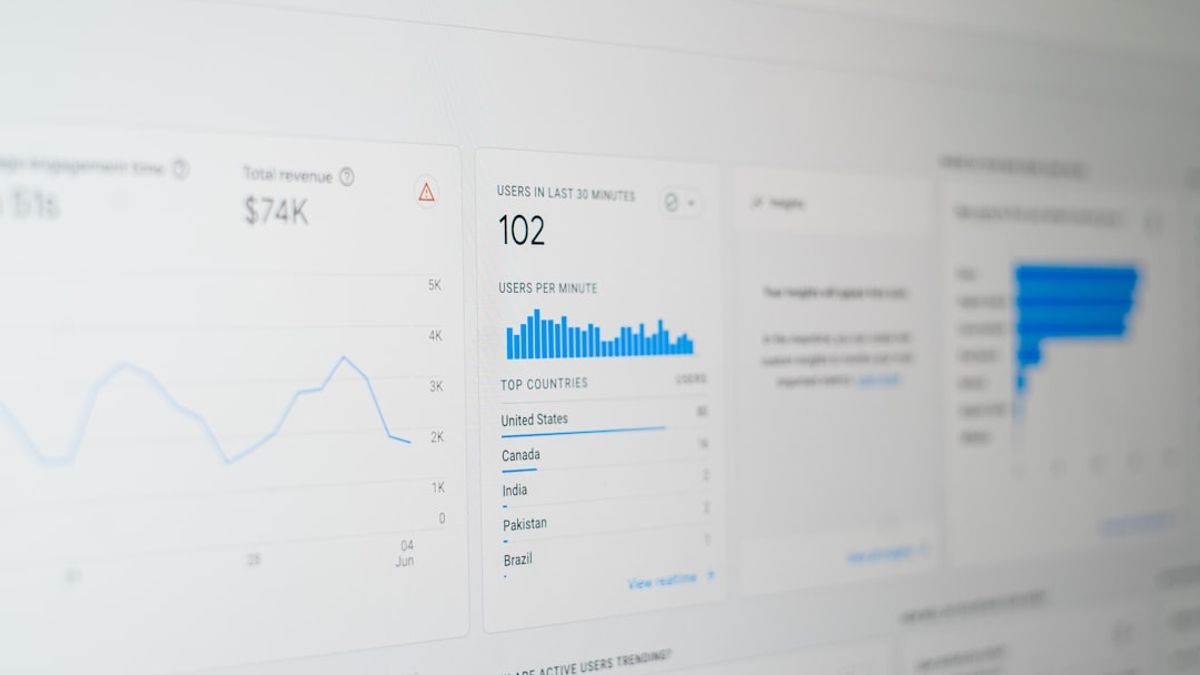
A free website audit tool is an online tool that scans your website for SEO errors, technical issues, and performance gaps, then reports them in a readable dashboard so you know what to fix first. That's the definition. The harder question is whether the free tools you're considering actually deliver on that promise, or whether they give you just enough data to feel informed without enough depth to act.
At a minimum, a free SEO site audit tool should scan your site for technical SEO issues, on-page errors, and performance problems, and then deliver results you can actually do something with, even if you don't have a developer on speed dial. Missing meta descriptions, broken internal links, slow-loading pages, duplicate title tags: these are table-stakes findings that any credible audit tool should surface clearly.
The problem is that most free tools give you a one-time snapshot score rather than ongoing monitoring. That means any issues that appear after the scan go undetected for months. Your site changes, Google's crawl behaviour shifts, new pages go live, and your free audit report sits there cheerfully telling you everything's fine.
Popular options like Ahrefs Site Audit, SEOptimer, and SEMrush Site Audit all cap crawl limits on free plans, restrict access to historical data, or require an account upgrade before you can export or share results. That's not a criticism of those products specifically; it's simply how the freemium model works. You need to understand those limits before you build a strategy around them.
There's also a gap that most people don't think to check: none of the major free website SEO audit tools currently tell you whether your site is being surfaced by AI answer engines like ChatGPT or Perplexity. In 2026, that's a meaningful blind spot. AI-driven search is now a primary discovery channel for many categories, and businesses that aren't visible there are losing organic reach without knowing why. If you want to understand what you're missing on that front, our guide on Best SEO Automation Tools for Small Businesses covers the fuller picture.
Choosing the wrong audit tool has real consequences. Businesses that rely on stale audit data can spend months fixing issues that are already resolved, or miss new ones entirely. This guide gives you the exact criteria to evaluate any free SEO audit tool confidently, so you're not just grabbing the first result that appeared in your search. For context on the metrics you'll want to track alongside any audit, see our guide on how to see website traffic.
6 Criteria to Evaluate Any Free Website SEO Audit Tool
When evaluating a free SEO site audit tool, the six criteria that matter most are: automation level, CMS integration, AI answer engine coverage, audit frequency, crawl depth limits, and cost relative to agency alternatives. Here's what each one means in practice.
1. Automation Level
This is the most important criterion. A tool that requires you to manually re-run scans every time defeats the purpose of monitoring. SEO issues don't emerge on a schedule; they appear continuously as you publish new content, update pages, or experience technical regressions. If your audit tool only acts when you remember to log in, it's reactive at best. Look for tools that run automatically on a recurring schedule without you needing to trigger them.
2. CMS Integration
Does the tool connect to your CMS, or does every fix require you to log into WordPress, Shopify, or Webflow separately? CMS integration isn't a luxury feature; it's the difference between a tool that saves you time and one that adds friction. Without it, you're looking at a multi-step manual workflow for every individual fix: find the finding, open your CMS, locate the page, make the edit, return to the tool, re-run the scan. That process adds hours per month for tasks that should take minutes. Check our guide on Best Automated SEO Tools for Small Business for a comparison of tools that handle this differently.
3. AI Answer Engine Coverage
This is a criterion that virtually no free tool meets in 2026. SEMrush Site Audit and Ahrefs Site Audit do not report on whether ChatGPT, Perplexity, or Google SGE are surfacing your pages. If your customers are finding answers through AI search before they ever reach Google's traditional results, a tool that ignores that channel is auditing for a version of search that's already shifting. Our guide on optimizing content for AI search engines explains exactly what AEO coverage involves and why it matters now.
4. Audit Frequency
Google crawls a typical small business site on its own unpredictable schedule. A monthly or on-demand audit snapshot can miss indexing errors, broken links, and Core Web Vitals regressions that appear between scans. Weekly or continuous auditing is the standard you should be looking for, not a nice-to-have extra.
5. Crawl Depth and Page Limits
Free plan restrictions here are often severe. Ahrefs' full site audit crawl depth is available within paid plans, while free-tier access is significantly restricted. SEOptimer covers surface-level checks without continuous monitoring. The HOTH's free audit tool offers a basic roadmap report, but exporting or scheduling results typically requires an upgrade. If you have a site with hundreds of pages, a tool capped at 20 or 50 crawled pages on the free tier is giving you an incomplete picture, full stop.
Competitor gap analysis is another capability that rarely appears in free audit tools. Knowing which keywords and pages your direct competitors rank for, while you don't, is as important as knowing your own technical errors. And reporting shareability, whether you can export or schedule audit results without entering payment details, is routinely locked behind paywalls across the tools listed above.
6. Cost Versus Value Against Agency Alternatives
SEO agency retainers for small businesses typically run $1,000 to $5,000 per month. Even a paid automated platform at $149 per month is dramatically more cost-efficient for ongoing audit and optimisation. When you evaluate a free tool, factor in the full cost: the tool itself plus the agency or freelancer time you'll need to act on its findings. That math changes the calculation significantly. For a broader look at what AI-driven SEO support looks like, our AI SEO Agent guide for small businesses is a useful next read.
Red Flags That Mean a Free SEO Audit Tool Will Waste Your Time
Not every free audit tool is equally useful. Some actively mislead you. Here are the warning signs to watch for.
A single score out of 100 with no page-level breakdown. Any tool that delivers only an aggregate site health score without specifying which pages have which errors is giving you a vanity metric, not actionable intelligence. Knowing your site scores 67/100 tells you almost nothing about what to fix or where to start. Tools like SEOptimer and SEO Site Checkup offer surface-level summaries that can feel satisfying without actually directing your attention to the right problems.
No coverage of AI answer engine visibility. If a free audit tool can't tell you how AI search engines like ChatGPT and Perplexity evaluate your content, it's auditing for a version of search that's becoming less complete every quarter. This isn't about future-proofing; it's about understanding a channel that's already influencing how your potential customers find answers in 2026.
A credit card required to see full results. Tools that use a free audit as a lead magnet, delivering an intentionally incomplete report until you upgrade, aren't offering you a diagnostic. They're running a sales funnel. The value of a free tool should be genuine, not gated behind a conversion step.
No CMS integration. Every fix requiring you to leave the platform, find the right page, edit it manually, and re-run the scan is a workflow that compounds across your entire site. What should take minutes takes hours. That friction is enough to ensure most small business owners never implement the findings at all.
No backlink monitoring. Toxic or lost backlinks can silently damage domain authority between audit cycles. If the biggest red flag in a free website audit tool is a single composite score with no page-level breakdown and no continuous monitoring, the second-biggest is the absence of backlink health tracking. Understanding how to find backlinks in Google Search Console can partially bridge this gap, but it doesn't replace automated monitoring.
Outdated technical benchmarks. If a tool hasn't been updated to account for Core Web Vitals thresholds revised in 2025 or Google's Helpful Content system signals from 2024, its recommendations may actively lead your optimisation efforts in the wrong direction. Always check when a tool's methodology was last updated.
No scheduling, alerts, or trend tracking. A one-time audit report with no ability to track changes over time is the equivalent of a car inspection that only checks the tyres, useful once, dangerously incomplete as an ongoing strategy. For context on what continuous traffic analysis looks like alongside an audit, see our guide on free tools to view website traffic.
Your Free Website Audit Tool Evaluation Checklist (12 Questions to Ask Before You Commit)
Before committing to any free website audit tool, ask whether it offers automated scheduling, full-site crawl depth, AEO coverage, CMS integration, competitor gap analysis, and plain-language recommendations. Most free tools fail at least five of these twelve checks.
Work through each question before you settle on a tool.
- Does it run audits automatically on a set schedule? Or do you have to manually trigger every scan? If it's the latter, your monitoring is only as consistent as your memory.
- Does it crawl your full site? Blog posts, product pages, landing pages, all of them. If the free tier caps at 10 or 20 pages, it's sampling your site, not auditing it.
- Does it check for AEO signals? Specifically, does it assess whether ChatGPT, Perplexity, or Google SGE are likely to surface your content in AI-driven results? Our AEO automation guide for small businesses explains what this looks like in practice.
- Does it integrate directly with your CMS? WordPress, Shopify, Webflow: can the tool push recommendations or fixes directly, or does every change require a separate manual login?
- Does it track competitor rankings and content gaps? Auditing your site in isolation tells you what's broken. Competitor gap analysis tells you what you're missing relative to the businesses you're actually competing with. See our autonomous SEO guide for how this works in an automated system.
- Does it monitor backlink health continuously? Not just a static snapshot from the last scan, but ongoing tracking so you're alerted when links are lost or toxic profiles appear.
- Does it flag Core Web Vitals at the page level? LCP, CLS, and INP should be reported per page, not just as a site-wide average. Page-level detail is what tells you exactly where to act.
- Can you export or schedule reports without paying? If full report access requires entering payment details, you're not using a free tool. You're in a sales funnel.
- Does it show historical trend data? You need to see whether your SEO health is improving or declining over time. Without trend data, you can't know whether your efforts are working.
- Does it surface keyword opportunities from competitor analysis? The best audit tools don't just flag errors on your existing pages; they identify content gaps where competitors are winning traffic you're not capturing. Our SEO autopilot guide covers how automated gap analysis feeds directly into content strategy.
- Does it deliver plain-language recommendations? If interpreting the results requires technical SEO knowledge you don't have, you'll stall at the findings stage. Results should tell you what to do, not just what's wrong.
- What's the real total cost? Factor in the time and money needed to implement the tool's findings, whether that's your own hours, a freelancer, or an agency relationship. Compared to an all-in-one automated platform at a flat monthly rate, the math often surprises people. Our pricing page makes that comparison straightforward. And if you're considering local SEO specifically, our geo automation guide covers the audit criteria that matter for location-based visibility.
Frequently Asked Questions About Free Website Audit Tools
What is the best free tool for site audit?
In 2026, the most capable free website audit tools are Ahrefs Site Audit (strong technical crawl data), SEMrush Site Audit (comprehensive but heavily gated on free plans), SEOptimer (quick surface-level on-page report), and SEO Site Checkup (good for LLM-readiness signals). That said, every free tool shares the same core limitation: they produce one-time or manually triggered snapshots, don't integrate with your CMS to implement fixes, and none of them audit your visibility in AI answer engines like ChatGPT or Perplexity. If continuous monitoring, competitor gap analysis, and automated content publishing matter to your growth, a flat-rate platform like Evergreen AI at $149/month replaces the tool and the team needed to act on its output.
Can I do a website audit myself?
Yes, you can absolutely run a website audit yourself using a combination of free tools. Start with Google Search Console to check for indexing errors and coverage issues, use a free crawler like Ahrefs or SEMrush's free tier for on-page technical checks, and run Google PageSpeed Insights for Core Web Vitals. The challenge isn't running the audit; it's knowing which findings to prioritise, understanding how to fix them without developer help, and repeating this process every month as your site changes. Most small business owners run one audit, feel overwhelmed, and never action the results. An automated platform that audits continuously and publishes fixes directly to your CMS removes that bottleneck entirely.
Can ChatGPT do an SEO audit?
ChatGPT can help you review written content for clarity, keyword usage, heading structure, and readability when you paste your text directly into the conversation. It cannot crawl your live website, check your indexing status in Google, measure your Core Web Vitals, audit your backlink profile, or detect technical errors like broken redirects or duplicate meta tags. Think of ChatGPT as a capable editorial assistant for content review, not a replacement for a dedicated SEO audit tool. For full technical and AEO coverage, you need a purpose-built platform that monitors your live site continuously. Our guide on optimizing content for AI search engines explains the distinction clearly.
How can I audit my website?
To audit your website, follow these steps. First, check Google Search Console for crawl errors, coverage issues, and manual actions under the Index Coverage report. Second, run your domain through a free SEO audit tool such as Ahrefs Site Audit, SEOptimer, or SEMrush Site Audit to identify on-page errors, missing meta tags, and broken links. Third, use Google PageSpeed Insights to measure Core Web Vitals, specifically LCP, CLS, and INP, on both mobile and desktop. Fourth, review your backlink profile using Google Search Console's Links report. Fifth, check whether your key pages appear when you query relevant topics in ChatGPT or Perplexity to assess AEO visibility. This manual process typically takes three to five hours per audit cycle. An automated platform like Evergreen AI handles all of this continuously for $149/month, including publishing optimised content directly to your CMS.